Login and Registration
Learn how to access the Castit Digital Signage platform and create your account.
Accessing Castit
Navigate to the Castit web application:
- URL:
https://app.castit.nl - The platform is web-based and accessible from any modern browser
Logging In
The login page is titled "Welcome back" with the prompt "Enter your account details below."
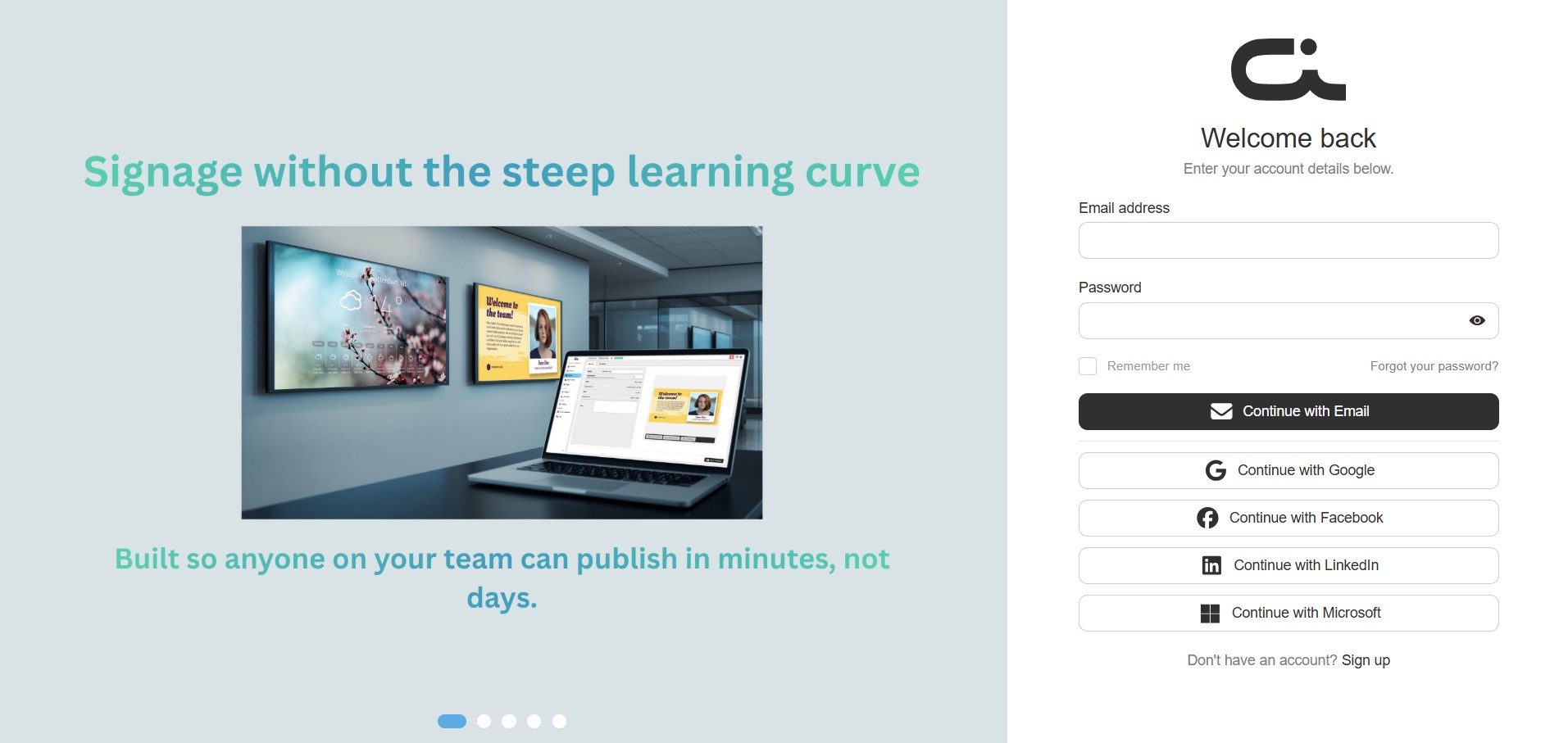
Standard Login
- Navigate to the Castit login page
- Enter your credentials:
- Email address: Your registered email address
- Password: Your account password (use the eye icon to show or hide it)
- Optionally tick Remember me to stay signed in on this device
- Click the Continue with Email button
Social Login
Castit supports quick login using social authentication providers:
- Continue with Google - Sign in with your Google account
- Continue with Facebook - Sign in with your Facebook account
- Continue with LinkedIn - Sign in with your LinkedIn account
- Continue with Microsoft - Sign in with your Microsoft account
Click any of the social login buttons to authenticate using that service.
Forgot Password
If you've forgotten your password:
- Click the Forgot your password? link to the right of the login options
- Follow the password reset instructions sent to your email
Creating an Account
Registration Process
If you don't have an account yet, click "Don't have an account? Sign up" on the login page. The registration page is titled "Create your account" with the prompt "Enter your account details below."
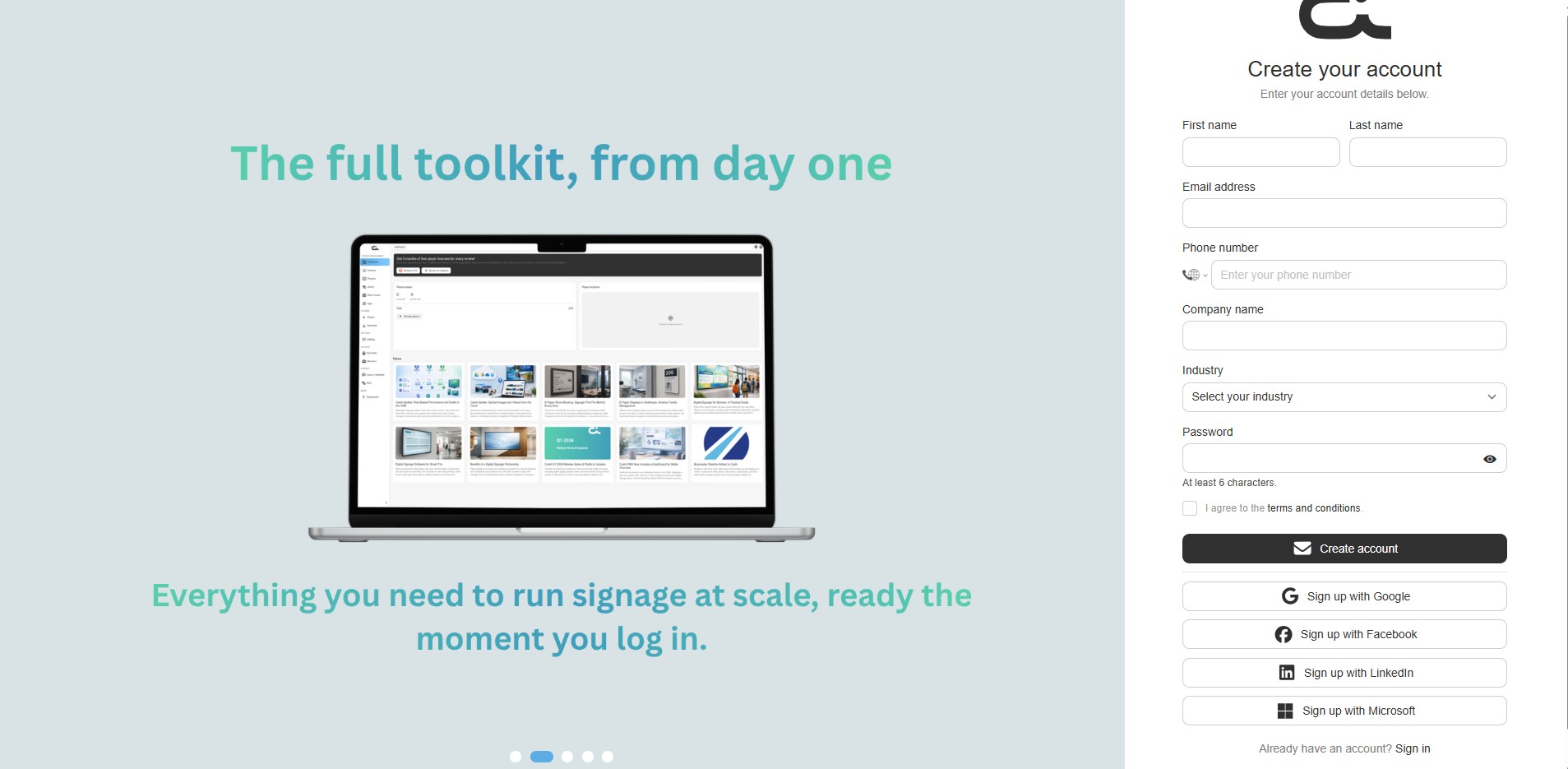
Fill in the form fields:
- First name - Enter your first name
- Last name - Enter your last name
- Email address - Enter your email address
- Phone number - Enter your contact phone number (with country code selector)
- Company name - Enter your company or organization name
- Industry - Choose your industry from the "Select your industry" dropdown menu
- Password - Create a password
- Must be at least 6 characters
- Use the eye icon to show or hide it
- Tick "I agree to the terms and conditions" to accept the terms
- Click the Create account button to create your account
Social Registration
You can also register quickly using a social account:
- Click Sign up with Google to register with your Google account
- Click Sign up with Facebook to register with your Facebook account
- Click Sign up with LinkedIn to register with your LinkedIn account
- Click Sign up with Microsoft to register with your Microsoft account
When registering via social login, some information may be automatically populated from your social profile.
Already have an account? Click "Already have an account? Sign in" to return to the login page.
After Login
Once logged in, you'll be directed to the main Castit dashboard where you can:
- Manage your screens
- Create and organize playlists
- Upload content to your library
- Configure players
- Access all digital signage features
Troubleshooting Login Issues
Can't Log In?
- Verify your email and password are correct
- Check if Caps Lock is enabled
- Try using the password reset feature
- Clear your browser cache and cookies
- Try a different browser
Registration Problems?
- Ensure all form fields are filled in
- Verify your password is at least 6 characters
- Make sure you have accepted the terms and conditions
- Check that your email address is valid and not already registered
- Contact support if issues persist
Browser Requirements
For the best experience with Castit:
- Chrome (recommended) - Latest version
- Firefox - Latest version
- Safari - Latest version
- Edge - Latest version
Security Best Practices
- Use a strong, unique password
- Don't share your login credentials
- Log out when using shared computers
- Enable two-factor authentication if available
- Keep your contact information up to date
Need Help?
If you need assistance with login or registration issues, reach out to Castit support.
Next Steps
Once logged in, proceed to:
- Navigation and Interface - Get familiar with the CMS
- Creating Your First Screen - Set up your first digital signage screen